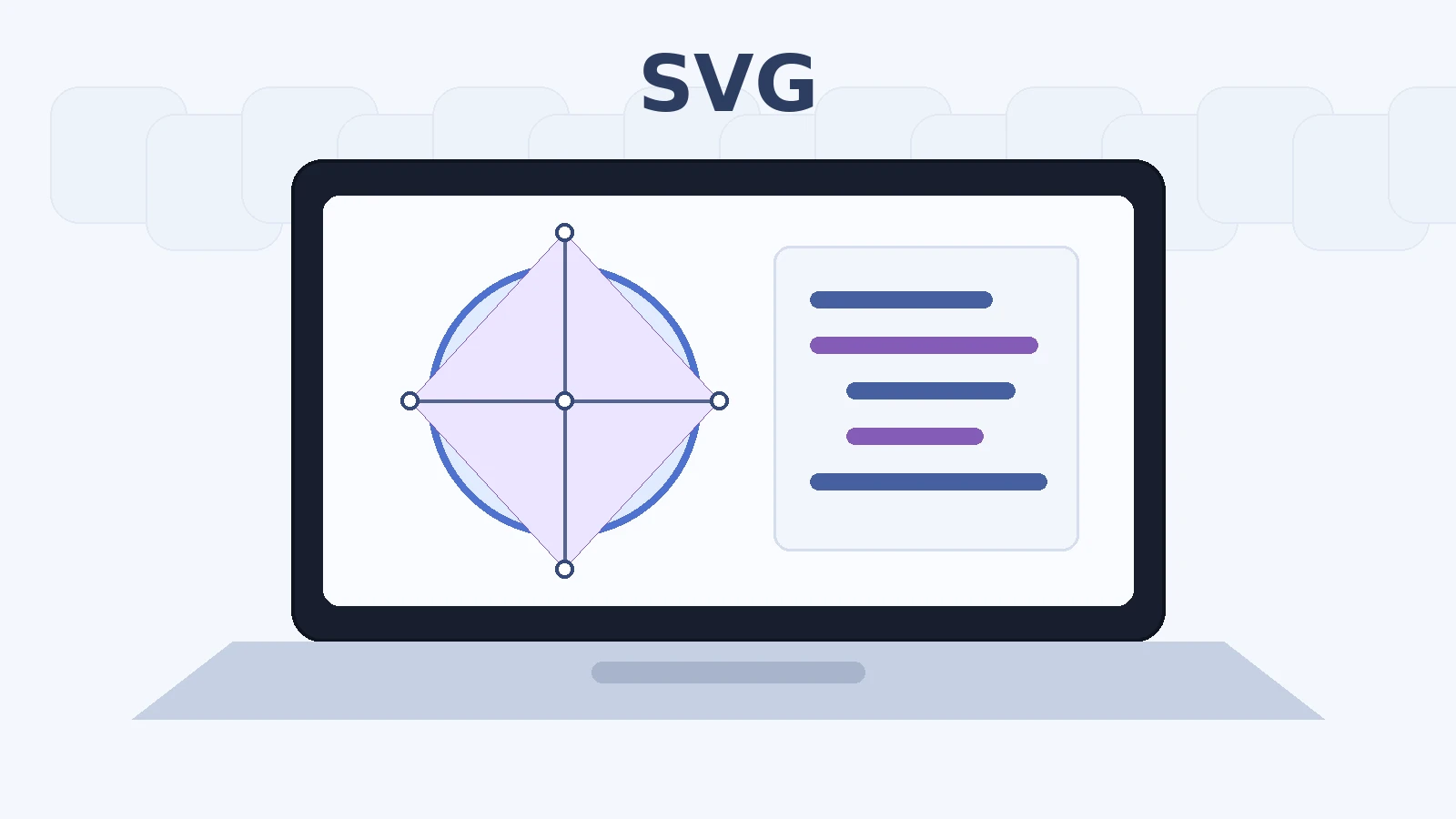
A PNG logo can look perfectly sharp at its original size and reveal its pixel grid when enlarged. The same logo in SVG can remain crisp as a tiny icon, on a high-density display, or on a poster because it does not store a fixed grid of pixels: it describes the shapes to draw.
SVG means Scalable Vector Graphics. On the Web it is unusual because it is both a vector image format and XML-based markup. That dual nature explains why SVG can scale cleanly, inherit CSS colors, contain text and gradients, be inspected in a text editor, and also require attention to accessibility and security.
SVG is not universally “better” than PNG, JPEG, WebP, or AVIF. It solves a different class of problems.
SVG in one sentence
SVG describes graphics using elements, coordinates, paths, fills, strokes, and transformations rather than storing every final screen pixel.
Raster and vector: two ways to represent an image
Raster formats store a finite pixel grid. Vector graphics store geometric instructions. Photographs naturally suit raster encoding; logos, icons, diagrams, and many illustrations often suit vectors.
Why does SVG stay sharp when enlarged?
The renderer recalculates the shapes at the requested display size. A circle remains a circle rather than a fixed set of colored source pixels. Rasterization still happens on the display, but it happens at the final rendering resolution.
When should you use SVG?
Use SVG for logos, icons, diagrams, simple charts, maps, geometric illustrations, and graphics that benefit from styling or scaling. It is especially attractive when the vector description is simpler than a raster equivalent.
When should you not use SVG?
Do not force photographs or highly textured painterly imagery into vectors. A vector tracing with thousands of paths can be heavier and harder to render than an efficient raster image.
Is SVG an image format or code?
Both descriptions are useful. An SVG file is an image resource, but its contents are structured XML markup. That means it can contain elements, attributes, references, styles, text, and-in some contexts-active behavior.
The browser reads the coordinate system and draws the circle.
XML: what are the practical consequences?
Markup must be well formed, element and attribute structure matters, and the file can be parsed and transformed as structured data. XML also means untrusted SVG deserves security review rather than being treated as inert bytes.
Understanding viewBox
viewBox="min-x min-y width height" defines the internal coordinate rectangle. viewBox="0 0 100 100" creates a 100-by-100 coordinate system starting at the origin. The browser maps that internal system into the rendered viewport.
SVG units and CSS pixels
SVG coordinates can be unitless inside the viewBox, while the outer element participates in CSS layout. A shape at coordinate 50 does not inherently mean 50 physical pixels; it is interpreted through the viewport and transformations.
Why is my SVG clipped?
Content can fall outside the viewBox or viewport. If a stroke extends beyond the declared bounds, edges may be cut. Inspect the geometry and ensure the viewBox includes the full visible artwork.
width, height, and viewBox: what is the difference?
width and height influence the viewport or intrinsic size. viewBox defines the internal coordinate system and scaling relationship. A responsive SVG usually benefits from a correct viewBox even when CSS controls final dimensions.
Should you remove width and height?
Not automatically. Intrinsic dimensions can help layout and aspect-ratio calculation. Remove or override them only when your responsive integration requires it and you understand the resulting sizing behavior.
preserveAspectRatio
This attribute controls how the viewBox is fitted into a viewport when their aspect ratios differ. It can preserve the full drawing with empty space or crop/fill depending on the chosen alignment and meet/slice behavior.
Basic shapes
SVG provides elements such as <rect>, <circle>, <ellipse>, <line>, <polyline>, and <polygon>. They are readable building blocks and can be preferable to unnecessarily complex paths.
Why is <path> everywhere?
<path> can represent almost any outline using a compact command language. Design tools frequently convert shapes to paths because paths are flexible, but excessive path complexity can make files harder to maintain.
Absolute and relative coordinates
Path commands can use absolute or relative coordinates. Relative commands describe movement from the current point; absolute commands use the coordinate system directly. Optimizers may choose whichever representation is more compact.
Bézier curves
SVG paths can contain quadratic and cubic Bézier curves. Control points shape smooth curves without storing every intermediate point, which is one reason vector graphics scale efficiently.
Too many points: why is that a problem?
Unnecessary anchor points increase markup, make editing harder, and can add rendering work. Simplifying a path while preserving its appearance is a common SVG optimization.
fill and stroke
fill paints the interior of a shape; stroke paints its outline. Stroke width, line caps, joins, dash patterns, and opacity provide substantial visual control without changing the underlying geometry.
HEX, RGB, HSL, and SVG
SVG presentation attributes and CSS can use familiar Web color notations. See RGB, HEX, or HSL and use the color converter when translating between representations.
currentColor: a very useful value
currentColor makes an SVG fill or stroke inherit the element’s CSS color. This is excellent for reusable icons that should follow button, link, theme, hover, or disabled-state colors.
Gradients
SVG supports linear and radial gradients. They are usually defined once and referenced by an ID. A vector gradient can remain resolution-independent, though complex effects can still increase rendering cost.
<defs>: SVG’s internal library
<defs> stores definitions that are not drawn directly, such as gradients, filters, masks, clip paths, and reusable shapes. Other elements reference them by ID.
<use> and reuse
<use> can instantiate a previously defined graphical element. Reuse can reduce duplication and is central to some icon-sprite patterns.
Groups with <g>
<g> groups related elements so styles or transformations can be applied together. Logical grouping also makes hand-maintained SVG easier to understand.
Transformations
SVG supports translate, scale, rotate, skew, and matrix transformations. They allow geometry to be repositioned without rewriting every coordinate.
Clipping and masks
Clipping restricts drawing to a defined shape. Masks control visibility more gradually and can use luminance or alpha effects. Both are powerful but can make an asset more complex.
SVG filters
Filters can create blur, shadows, color transformations, and other effects. They are flexible but may be expensive to render, particularly when applied to large animated regions.
Text in SVG
SVG can contain real <text> elements. This may preserve selectable text, but font availability, layout, accessibility, and responsive behavior need consideration.
Converting text to paths: a good idea?
It guarantees the letter shapes no longer depend on a font file, but destroys the semantic text representation, increases path complexity, and makes editing/localization harder. Use it only when visual fidelity genuinely requires outlines.
Four main ways to integrate SVG
Common approaches are <img>, CSS background images, inline SVG markup, and embedded documents such as <object> or <iframe>. Each changes styling, scripting, caching, and accessibility possibilities.
SVG with <img>
<img src="icon.svg"> treats the SVG much like another image resource. It is simple, cacheable, and relatively isolated. Internal elements are not normally styled from the parent page as if they were inline DOM.
SVG as a CSS background
Background SVG works for decorative imagery controlled by CSS. It should not carry essential content because CSS backgrounds do not provide the same semantic alternative-text mechanism as <img>.
Inline SVG
Placing <svg> directly in HTML exposes its elements to CSS and the DOM. This is ideal for icons that inherit currentColor, interactive diagrams, or graphics requiring internal styling. It also means markup contributes directly to document size.
<object> and <iframe>
These embed SVG as a separate document context and can be useful for specialized interactive content. They add complexity and are rarely necessary for ordinary icons or logos.
<img> or inline: how do you decide?
Use <img> when the SVG behaves like a conventional image and caching/reuse matters. Use inline SVG when you need to style internal parts, inherit colors, animate elements, or attach richer semantics and interaction.
SVG and caching
An external SVG file can be cached once and reused across pages. Repeating the same large inline SVG on every page duplicates markup. Small inline icons may still be worthwhile when styling flexibility outweighs the bytes.
SVG and responsive design
A correct viewBox lets SVG adapt naturally to different CSS sizes. Use CSS such as max-width: 100%; height: auto; where appropriate, and ensure intrinsic dimensions/aspect ratio are understood.
SVG and responsive images
A single vector SVG often covers many resolutions, so multiple width variants are unnecessary for pure vector content. Art direction can still require different graphics at different breakpoints.
SVG and Retina displays
Because geometry is rasterized at the final output resolution, a vector SVG does not need separate 1x/2x/3x exports merely to remain sharp. Embedded raster images inside the SVG are a different matter.
SVG and performance
Small, simple SVGs can be extremely efficient. Huge path data, filters, masks, embedded images, scripts, and repeated inline markup can make SVG expensive. Measure actual bytes and rendering behavior.
Is SVG always lighter than PNG?
No. A simple logo may be dramatically smaller as SVG. A highly detailed traced photograph can be enormous. Choose the representation that matches the content.
Can SVG contain JPEG or PNG images?
Yes. <image> can reference or embed raster content. Once you do that, those raster pixels still have finite resolution and can dominate file size.
Base64 inside SVG
Raster data can be embedded as base64, but base64 adds encoding overhead and can prevent separate caching. It can also hide large assets inside apparently small markup. Use deliberately.
SVG and network compression
Because SVG is text, HTTP compression such as Brotli or gzip can reduce transfer size substantially. The file’s raw size on disk may therefore differ from compressed transfer size.
SVGZ: should you use it?
SVGZ is gzip-compressed SVG. Modern HTTP servers can usually compress ordinary .svg responses dynamically, so maintaining separate .svgz assets is often unnecessary and can complicate serving.
Accessibility: the format does not decide the alternative
An SVG can be informative or decorative. Accessibility depends on purpose and integration. The same logo may need meaningful alternative text in one context and be redundant decoration in another.
SVG loaded with <img>
Provide alt exactly as you would for another image. If the SVG conveys meaningful content, describe its purpose. If it is purely decorative, an empty alt is often appropriate.
Informative inline SVG
Inline SVG can use accessible naming patterns such as an associated <title> and appropriate ARIA relationships when needed. Test with actual assistive technologies because complex graphics can require surrounding HTML explanations.
Complex charts
A chart should not rely on the SVG picture alone. Provide labels, data tables, summaries, or other textual access to the underlying information when appropriate.
Decorative inline SVG
Decorative icons can be hidden from assistive technologies so they do not create noise. If adjacent visible text already names the action, the icon often does not need a second accessible name.
Icon-only buttons
The button needs an accessible name even if the visible content is only an SVG icon. Name the button, not merely the internal path.
Contrast and SVG
Meaningful icon strokes, fills, chart lines, and focus indicators may need sufficient contrast. Because inline SVG can inherit CSS colors, design-system tokens can make accessible theming easier. See WCAG Contrast.
Why can color alone be a problem?
A chart that distinguishes series only by red and green can fail for users who cannot reliably distinguish those hues. Add markers, labels, patterns, line styles, or other cues.
Security: why does SVG deserve special attention?
SVG is XML-based active-capable content. Depending on how it is embedded and processed, it can contain links, references, styles, scripts, event handlers, or other constructs. Treat untrusted uploads as content requiring sanitization.
Does <img> isolate SVG more?
Loading SVG as an image generally places stronger restrictions on active behavior than injecting untrusted markup inline. That makes <img> a safer default for many externally supplied assets, though server-side validation remains important.
Why isn’t removing only <script> enough?
Unsafe behavior can involve more than explicit script elements. Event attributes, external references, links, CSS, foreign content, and parser edge cases can matter. Use a proven SVG sanitizer with an explicit allowlist rather than a naive string replacement.
Optimization and security are two different goals
An optimizer tries to reduce or simplify markup. A sanitizer tries to remove unsafe constructs. Some tools do both partially, but never assume minification equals sanitization.
MIME type
Serve SVG with the appropriate image/svg+xml content type. Incorrect MIME configuration can cause inconsistent behavior and can interact badly with security policies.
SVG and Content Security Policy
A strong CSP can limit where images, scripts, styles, and other resources may come from. It is defense in depth, not a substitute for sanitizing untrusted inline SVG.
Metadata in SVG
Design tools may include editor namespaces, comments, titles, descriptions, IDs, and metadata blocks. Some are useful; others are export residue. Inspect before removing.
SVG and privacy
SVG metadata or embedded links can reveal authoring software, names, file paths, or other details. Untrusted SVG can also reference external resources. Review public assets before publishing.
Why do graphics applications produce large SVGs?
Editors often preserve information needed for round-trip editing: groups, transforms, named layers, metadata, redundant styles, excessive decimal precision, and complex path data. A delivery SVG has different priorities.
Why keep the original SVG?
Optimization can remove editor-specific information and simplify geometry. Keep the editable source separately, then generate a production derivative just as you would keep a photographic master.
What can an SVG optimizer remove?
Depending on configuration, it can remove comments and metadata, merge styles, shorten colors, simplify transforms, clean IDs, reduce precision, and collapse redundant groups. Use the SVG optimizer and review the output.
Decimal precision
Coordinates exported with many decimal places can add significant bytes. Reducing precision can be safe when the visual difference is imperceptible, but aggressive rounding may distort small icons or precise diagrams.
Optimizing colors
Colors can sometimes be shortened or normalized, for example #ffffff to #fff. If the SVG is inline, replacing fixed fills with currentColor may also improve reuse, though that is a design change rather than pure minification.
SVG and animations
SVG can be animated with CSS, Web Animations, or SVG-specific mechanisms depending on the feature. Respect reduced-motion preferences and avoid expensive continuous effects.
Animating a path
Stroke-dash techniques can create a drawing effect, while transforms can animate movement or rotation. Keep animation meaningful and test performance, especially on large or complex paths.
SVG and interaction
Inline SVG elements can respond to pointer and keyboard interactions, but semantics and focus behavior must be designed intentionally. For complex interfaces, HTML controls around or over the graphic are often easier to make robust.
SVG and SEO
Search engines can process SVG in several contexts, but do not rely on hidden vector text as an SEO strategy. Use semantic HTML, useful surrounding content, descriptive filenames where appropriate, and accessible alternatives.
SVG and Core Web Vitals
A lightweight logo or illustration can reduce transfer cost, but huge inline markup or expensive filters can hurt rendering. Declare dimensions to prevent layout shift and prioritize critical assets appropriately.
Should you use an SVG sprite?
Sprites can centralize many icons and reduce duplication, especially with <symbol> and <use>. They add build and caching considerations. For small systems, individual files or components may be simpler.
SVG or icon font?
SVG usually provides better control over multicolor graphics, sizing, semantics, and rendering than icon fonts. Icon fonts can suffer from font-loading and fallback issues. Modern interfaces often prefer SVG.
SVG or Canvas?
SVG creates retained vector elements in the DOM and suits interactive graphics with individually addressable shapes. Canvas draws pixels into a bitmap surface and can be better for very large numbers of rapidly changing primitives. Choose by interaction and rendering needs.
SVG and printing
Vector geometry is well suited to high-resolution print because shapes can be rasterized at the printer’s required resolution. Embedded raster images still keep their own finite pixel dimensions.
Recommended SVG workflow
Keep the editable source; export a clean SVG; verify the viewBox; remove unnecessary editor data; simplify paths carefully; preserve accessibility information; sanitize untrusted content; test at several sizes; and serve with correct headers.
Avoid tracing photographs into huge SVGs, deleting the viewBox, removing dimensions without understanding layout, converting all text to paths, inlining every repeated icon, treating optimization as sanitization, and trusting arbitrary uploaded SVG markup.
Checklist before publishing an SVG
Verify purpose, viewBox, dimensions, scaling, colors, contrast, accessible name or decorative treatment, external references, metadata, path complexity, decimal precision, security/sanitization, MIME type, caching, and final rendering in target browsers.
Treat SVG as a production asset, not merely an export
The SVG produced by a design application is often optimized for editing rather than delivery. Layer names, editor namespaces, duplicated styles, long decimal coordinates, unused definitions, and transforms can all survive the export. None of this means the source is “bad”; it means the editable source and the production derivative have different jobs.
A safe workflow preserves the editable file, creates a delivery copy, optimizes that copy, and then performs a visual comparison. If the SVG comes from an untrusted user or external source, sanitization is a separate mandatory step. Optimization can make markup smaller, but only a security-oriented sanitizer should decide which elements, attributes, URLs, and behaviors are allowed.
Finally, test the integration method itself. The same SVG used through <img> and inline markup can behave differently with CSS, accessibility APIs, caching, and security restrictions. The best representation is therefore not only the smallest file; it is the smallest appropriate and maintainable implementation.
What to remember
SVG describes vector shapes in XML. A correct viewBox makes scaling predictable; <img> is simple and cacheable; inline SVG enables styling and interaction; accessibility depends on purpose; and untrusted SVG must be sanitized. Optimize production copies while preserving editable masters.
SVG is a document that describes a drawing
A raster image stores a grid of colored samples. SVG instead stores elements such as paths, rectangles, circles, text, gradients, masks, and groups in an XML document. The browser interprets those instructions and renders them at the requested size. This is why a simple SVG logo can remain sharp at 24 pixels, 240 pixels, or on a high-density display without needing separate raster exports.
That advantage is strongest for geometric graphics. A detailed photograph expressed as millions of vector shapes would be absurdly complex and usually far larger than a photographic raster format. Vector and raster are different representations suited to different content.
The coordinate system and viewBox
The viewBox attribute defines the internal coordinate system. For example:
The four values represent the minimum x, minimum y, width, and height of the internal viewport. The browser can map that coordinate system into many rendered sizes. Keeping a correct viewBox is one of the most important requirements for responsive SVG.
Removing fixed width and height can be useful in some embedding contexts when a valid viewBox remains, but those attributes are not inherently wrong. What matters is that the element has a coherent intrinsic ratio and that the page controls its final size intentionally.
Paths, shapes, fills, and strokes
SVG includes simple shape elements such as rect, circle, line, and polygon, plus the versatile path element. A path encodes a sequence of drawing commands and coordinates. Complex exports can contain thousands of points, which is why path simplification and decimal precision matter during optimization.
fill controls the interior paint; stroke controls outlines. Both can use solid colors, gradients, patterns, opacity, and CSS variables depending on how the SVG is embedded. This makes SVG especially useful for icons and interface graphics that need to inherit theme colors.
Inline SVG, img, CSS backgrounds, and external files
The embedding method changes what you can do. An external SVG used through <img> behaves much like another image resource. It is simple, cacheable, and isolated from the page DOM, but the page cannot directly style arbitrary internal shapes.
Inline SVG becomes part of the document DOM. That allows CSS styling, scripting, accessible labels, and interaction with individual elements, but repeated inline markup can increase HTML size and requires more care with security and identifiers.
A CSS background-image is appropriate for decorative imagery but is usually a poor choice for meaningful content because it lacks the normal image semantics and alternative-text model. Choose the embedding method based on semantics and interaction, not just convenience.
Accessibility depends on the role of the graphic
A decorative icon should generally be hidden from assistive technology when nearby text already conveys the meaning. An informative standalone graphic needs an accessible name or surrounding text that communicates the same information. Inline SVG can use title, aria-label, or other accessible patterns, while an external SVG in an img uses the alt attribute like other images.
Do not place essential text only inside a complex graphic when normal HTML would be clearer and more accessible. SVG is powerful, but it should not replace semantic document structure without a reason.
SVG text is not always the same as outlining text
A design application can export text either as actual <text> elements or as vector paths. Real text can remain selectable and potentially accessible but depends on fonts and rendering. Outlined text has a fixed visual shape and no font dependency, but it loses normal text semantics and can produce large path data.
For logos, outlined lettering may be acceptable. For diagrams or charts with significant labels, preserving real text or using HTML labels can improve accessibility and maintainability.
Gradients, masks, clipping paths, and filters
SVG supports sophisticated visual features such as gradients, masks, clipping paths, filters, and reusable definitions. These are powerful but can make exported files complex. Optimization tools must preserve internal references such as url(#gradient-id) and should not rename or remove identifiers blindly.
Filters such as blur or shadow can also be expensive to render when used over large areas. A small file is not automatically cheap for the browser to paint. Test complex SVG in the actual interface, especially if it is animated or repeated many times.
Symbols and sprites
A set of interface icons can be represented with reusable <symbol> elements and instantiated with <use>. This can reduce duplicate markup and centralize icon definitions. Sprites are useful when the architecture benefits from them, but they are not mandatory for every site. Independent SVG files can be simpler to cache, lazy-load, and manage in component systems.
Whichever strategy you choose, keep identifiers stable when external code depends on them and verify that optimization does not break references.
SVG and CSS theming
Inline SVG can use currentColor, allowing an icon to inherit the text color of its surrounding component:
This is particularly effective for dark mode and design-system icons because one asset can adapt without generating separate light and dark raster files. CSS custom properties can also feed fills and strokes when more than one theme color is needed.
External SVG files used as img elements are more isolated. If direct theming is required, inline markup, masks, or a component abstraction may be more appropriate.
Security: SVG can contain active behavior
SVG is not merely a passive bag of coordinates. Depending on how it is delivered and embedded, it can contain scripts, event handlers, links, external references, and other active content. Treat untrusted SVG uploads as potentially unsafe. Do not inject arbitrary user-supplied SVG directly into page HTML.
Sanitize untrusted files with a policy designed for SVG and the intended embedding method. Optimizing and sanitizing are different tasks: removing whitespace or metadata does not guarantee that dangerous elements or attributes are gone.
When SVG is the wrong format
Use raster formats for photographs and highly detailed natural imagery. SVG is also a poor choice when the exported vector is so complex that it contains huge numbers of points, filters, or embedded raster data. Some “SVG” files are essentially wrappers around a large embedded JPEG or PNG and provide little vector benefit.
Inspect the file. If it contains an embedded base64 raster image, optimization may require returning to the original asset rather than minifying the XML wrapper.
File size is about drawing complexity, not dimensions alone
A simple 24×24 icon can be tiny, but a complex 24×24 illustration can contain thousands of path commands. Conversely, a logo with a viewBox of several thousand units can still be small if it uses only a few simple shapes. Unlike raster images, increasing the rendered size does not automatically increase the SVG file size.
This is why “resolution” is not the right way to reason about vector assets. Focus on geometric complexity, markup, precision, embedded resources, and rendering cost.
A safe inspection workflow
Open the SVG as text and identify the root svg, viewBox, dimensions, definitions, groups, and paths. Check whether the file contains editor namespaces, metadata, comments, embedded raster data, scripts, external URLs, or enormous coordinate precision. Then preview it in a browser before and after optimization.
Use the SVG optimizer on a copy, preserve the master, and compare the result at several sizes and on relevant backgrounds. For a graphic that should really be raster, return to the image format comparison instead of forcing SVG into the pipeline.
The root element defines the SVG document. The namespace identifies the markup vocabulary. viewBox establishes the coordinate system. The circle is described by a center and radius rather than by a grid of pixels. This source remains compact because the visual idea is simple.
A more complex illustration may contain nested groups, hundreds of paths, gradients, masks, clipping paths, and filters. SVG file size therefore grows with document complexity, not with a fixed “megapixel” count.
Width, height, intrinsic ratio, and responsive sizing
When viewBox is present, it usually provides the intrinsic aspect ratio. Explicit width and height can still define a default size. CSS can override rendered dimensions while preserving the ratio. A common pattern is to let width follow the container and height scale automatically.
If you remove both dimensions without understanding the embedding context, the browser or layout system may no longer have the default size you expected. Optimization should preserve useful intrinsic behavior rather than blindly deleting attributes.
preserveAspectRatio
When the viewport aspect ratio differs from the viewBox, SVG needs a rule for fitting the internal drawing into the external viewport. preserveAspectRatio controls alignment and whether the graphic behaves more like “contain” or “cover.” Defaults are often fine, but custom diagrams and art-directed graphics can rely on specific values.
If an optimized SVG suddenly appears cropped or letterboxed differently, check whether this attribute or the surrounding CSS changed.
Reusable definitions
The defs element can hold gradients, masks, clip paths, filters, and other objects that are referenced elsewhere. This avoids repeating complex definitions and keeps the visual structure organized. References typically use identifiers, for example fill="url(#brandGradient)".
Those IDs are functional. An optimizer may shorten them safely if it updates every reference, but deleting or changing them independently breaks the image. The same warning applies to CSS selectors or JavaScript that target SVG elements by ID or class.
SVG can contain raster images
The image element can reference an external JPEG or PNG or embed raster data directly. This can be legitimate for a mixed-media illustration, but it means the file is not purely resolution-independent. If the embedded bitmap is small and scaled up, it can still become blurry. If it is huge, it can dominate the file size.
Inspect unexpected SVG weight before assuming XML minification will solve it. The real problem may be an embedded photo that needs normal raster optimization.
SVG animation and interaction
SVG elements can be animated with CSS, JavaScript, or SVG animation mechanisms. Inline SVG can respond to pointer and keyboard interaction when built accessibly. This is powerful for data visualizations and interface diagrams, but it increases testing requirements.
Animation can also create motion-accessibility concerns. Respect reduced-motion preferences where appropriate, and avoid using animation as the only way to convey information.
Charts and data visualization
SVG is common for charts because lines, axes, labels, and marks remain crisp and individual elements can be interactive. But a chart made of SVG shapes is not automatically accessible. Provide textual equivalents, table data, meaningful labels, or accessible interaction patterns as required by the content.
Large datasets can produce thousands of DOM nodes. At that point canvas or another rendering strategy may perform better. The vector/raster choice for data visualization includes interactivity and DOM cost, not only sharpness.
Printing and export
Vector artwork is attractive for print and high-resolution export because geometry can scale without raster pixelation. However, browser-focused SVG may rely on CSS variables, external fonts, or runtime styles that do not survive every export pipeline. If the same asset must be used in print or third-party software, test those consumers explicitly.
A production website can keep one optimized Web SVG and a richer design master rather than forcing one file to satisfy every editing and distribution context.
SVG and fonts
Text in SVG can reference system or Web fonts. If the intended font is unavailable, layout can change. Converting text to outlines avoids font dependency but increases path data and removes editable/selectable text. There is no universal choice; decide based on branding, accessibility, file size, and whether the text is essential content.
For ordinary interface labels, HTML text is usually easier to localize and access. Reserve outlined text for cases such as a fixed logo mark where exact shape matters more than text semantics.
Data URIs and inline encoding
Small SVG snippets are sometimes embedded in CSS as data URIs. This can avoid a request but increases stylesheet size and complicates caching and readability. Modern HTTP and caching reduce the need to inline everything. Use data URIs when they fit the architecture, not as a blanket optimization rule.
Base64 is often unnecessary for SVG because the text can be URL-encoded more compactly. But readability, tooling, and browser compatibility can matter more than a few bytes.
Choosing SVG versus PNG for an icon
If the icon is geometric, needs theme colors, must scale to many sizes, or appears on high-density displays, SVG is usually compelling. PNG can still make sense for pixel-art icons, assets whose exact raster appearance is intentional, or compatibility with systems that do not accept SVG.
Measure the actual files. A tiny 16×16 PNG can sometimes be smaller than an unnecessarily verbose SVG export. Optimize the vector before deciding that the format itself is inefficient.
Frequently asked questions
Does SVG have a resolution? Pure vector geometry does not have a fixed raster resolution like JPEG or PNG.
Why is my SVG blurry? Embedded raster content, CSS transforms, fractional alignment, or filters can still affect sharpness.
Do I need 2x SVG files? Not for pure vector geometry.
Can SVG be styled with CSS? Inline SVG can be styled extensively; external SVG loaded through <img> is more isolated.
Is SVG safe to upload and inject? Not without sanitization.
Is SVG always smaller than PNG? No.
What is viewBox? The internal coordinate rectangle used to map the drawing into its viewport.