On the Web, the same color can be written in several ways. A blue might appear as #2563eb, rgb(37 99 235), or hsl(221 83% 53%). On screen, these notations can produce the same result, yet they express the color in different ways.
That distinction becomes important when building an interface, a palette, a light or dark theme, a design system, or when extracting colors from an image. HEX, RGB, and HSL are not three levels of quality. They are different ways to describe or express color for different tasks.
If you first need to understand where red, green, and blue channels come from, see How Is a Digital Image Built?. Here we will focus on color in Web development and CSS.
RGB, HEX, and HSL in one sentence
A useful summary is:
RGB describes a color through red, green, and blue components;
HEX usually encodes those same RGB components using compact hexadecimal notation;
HSL describes a color through hue, saturation, and lightness.
HEX and RGB are therefore often two representations of closely related information, while HSL provides a different way to reason about the color.
The color converter lets you move between them without doing calculations manually.
Why does the Web use RGB so much?
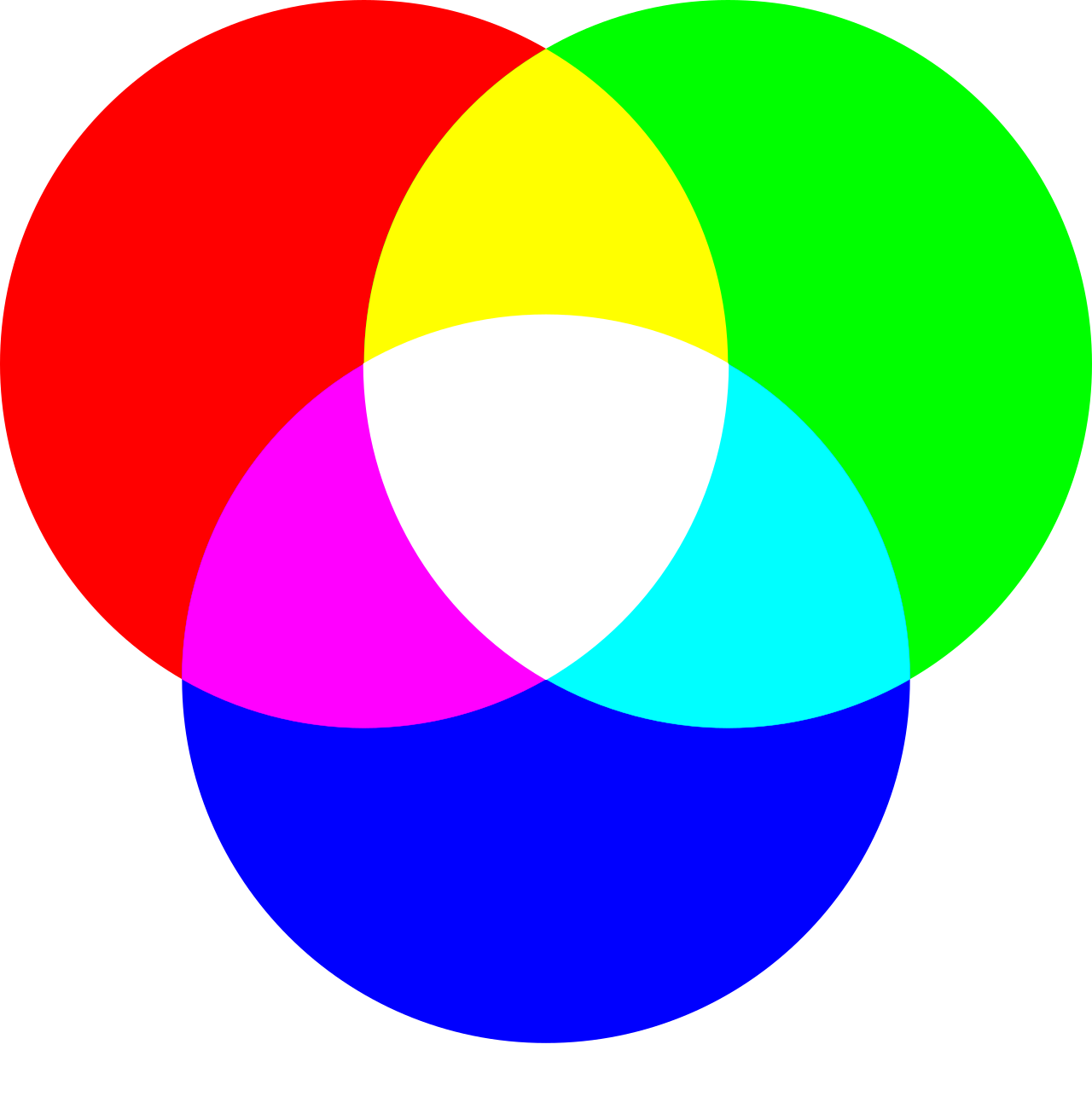
A screen produces colors by combining red, green, and blue light. This is an additive system: low values approach black, while strong values across all three channels approach white.
In a common 8-bit-per-channel RGB representation, each component can be expressed from 0 to 255.
Because counting begins at zero, the range is 0 through 255.
Three channels with 256 values each provide:
256 × 256 × 256 = 16,777,216 combinations.
This is why 24-bit RGB is commonly described as supporting about 16.7 million colors.
The same arithmetic also makes HEX easier to understand.
HEX is a compact way to write RGB components
Hexadecimal notation uses sixteen symbols:
0 1 2 3 4 5 6 7 8 9 A B C D E F
Each pair can represent a value from 00 through FF, corresponding to decimal 0 through 255.
A standard six-character HEX color is structured as:
#RRGGBB
The first pair represents red, the second green, and the third blue.
For example:
#FF0000
means:
red: FF = 255;
green: 00 = 0;
blue: 00 = 0.
It is therefore equivalent to:
rgb(255 0 0)
Likewise:
#2563EB
corresponds to:
rgb(37 99 235)
Use the color converter to verify these equivalences instantly.
Converting decimal to hexadecimal
Take decimal 37.
Divide by 16:
37 = 2 × 16 + 5
The hexadecimal representation is 25.
For 99:
99 = 6 × 16 + 3
which becomes 63.
For 235:
235 = 14 × 16 + 11
14 is E and 11 is B, giving EB.
So:
RGB(37, 99, 235)
becomes:
#2563EB
You rarely need to perform this conversion manually, but understanding it makes clear that HEX is not a mysterious separate color model. In this context, it is primarily a hexadecimal encoding of RGB values.
Short HEX notation
When each pair contains two identical characters, CSS allows shorthand.
For example:
#ffffff
can become:
#fff
and:
#336699
can become:
#369
Each character is duplicated:
#369 → #336699
By contrast, #2563eb cannot be shortened to three characters because its pairs are not repeated values.
HEX can include transparency
HEX is often associated with six characters, but CSS also supports eight-character notation:
#RRGGBBAA
The final pair represents alpha.
For example:
#2563eb80
describes #2563eb with intermediate opacity.
A four-character shorthand #RGBA is also available when each pair can be abbreviated.
The important conceptual point is that opacity changes how the color is composited with what lies behind it; it does not replace the underlying color coordinates.
HSL: thinking in hue, saturation, and lightness
HSL stands for:
Hue;
Saturation;
Lightness.
A color can be written as:
hsl(221 83% 53%)
HSL is designed to make some human adjustments easier to reason about.
Instead of asking “how much red, green, and blue should I change?”, you can ask:
do I want a different color family?
should the color be more or less saturated?
should it be lighter or darker?
That can be convenient when building variants of a base color.
Hue is an angle around a color wheel
Hue is commonly represented as an angle.
Simplified landmarks include:
0deg → red;
60deg → yellow;
120deg → green;
180deg → cyan;
240deg → blue;
300deg → magenta;
360deg → red again.
Changing only hue lets you move around the color wheel while preserving the other HSL coordinates.
For example:
hsl(0 80% 50%)hsl(120 80% 50%)hsl(240 80% 50%)
produces colors from very different families while keeping saturation and lightness constant.
Saturation: from gray toward stronger color
In simplified terms, saturation represents color intensity.
At 0%, hue has no visible effect: the result is a gray determined by lightness.
At 100%, the color is maximally saturated within the HSL model for those coordinates.
For example:
hsl(220 0% 50%)
is gray, while:
hsl(220 100% 50%)
is a strongly saturated blue.
This makes HSL convenient for prototyping muted and vivid variants.
HSL lightness: be careful with the word “lightness”
At 0% HSL lightness, the result is black.
At 100%, it is white.
Around 50%, a color can be very vivid depending on hue and saturation.
But an important distinction is required: HSL lightness is not the relative luminance used for WCAG contrast calculations.
Two colors with the same HSL L value can have noticeably different perceived brightness and different contrast behavior.
That is why changing HSL lightness is useful for design exploration but cannot replace an actual accessibility contrast calculation.
A perceptually uniform color space would ideally make equal numerical changes appear roughly equal to the human eye.
HSL does not achieve that.
For example, changing lightness by ten percentage points can produce a very different perceived change depending on hue and saturation.
This is one reason modern color workflows increasingly use spaces such as Lab, LCH, OKLab, or OKLCH for some tasks.
HSL remains useful because it is familiar and intuitive for many common adjustments, not because it perfectly models human perception.
RGB is not perceptually uniform either
The same caution applies to raw RGB differences.
A numerical distance such as:
+20 red
does not correspond to a constant perceived change across every starting color.
RGB is excellent for representing display-oriented channel values, but it is not a uniform perceptual coordinate system.
This distinction matters in algorithms that compare or cluster colors, such as palette extraction.
What is sRGB?
When Web developers write ordinary HEX or RGB values, they are commonly working in the sRGB color space unless another color space is explicitly specified.
sRGB defines more than three channel names. It specifies how encoded values relate to color.
This is why saying “RGB” alone can be ambiguous in color science: many RGB color spaces exist.
In everyday CSS usage, however, conventional HEX and rgb() values are closely associated with sRGB.
Modern CSS supports more than sRGB
CSS Color supports additional ways to express colors, including wider-gamut and perceptual spaces in modern browsers.
Examples include concepts such as:
lab();
lch();
oklab();
oklch();
color().
These tools can be useful for:
wide-gamut colors;
perceptually smoother scales;
advanced design systems.
But they do not make RGB, HEX, or HSL obsolete.
The appropriate notation depends on compatibility, workflow, readability, and the problem being solved.
Why OKLCH is interesting
OKLCH separates color into dimensions that are often more useful for perceptual adjustments:
lightness;
chroma;
hue.
It can help create color scales where changes feel more regular than equivalent HSL adjustments.
That makes it attractive for design systems.
However, understanding ordinary RGB, HEX, and HSL remains essential because they are widespread in existing CSS, design tools, documentation, and codebases.
Alpha is not a color channel in the same sense
Consider:
rgb(37 99 235 / 50%)
The underlying color remains based on red, green, and blue coordinates.
The alpha value controls opacity.
The final visible result depends on the background.
A 50%-transparent blue over white does not look the same as the same blue over black.
This is compositing, not a change to the base RGB coordinates.
Why the same transparent color looks different on different backgrounds
Suppose:
background: white;color: rgb(37 99 235 / 50%);
The browser blends the blue with white.
Place the same semi-transparent color over black and the blend changes.
This matters for:
overlays;
borders;
shadows;
disabled states;
translucent surfaces.
Do not judge a semi-transparent color without its actual background.
HEX versus RGB: which is better?
Neither is inherently better.
HEX is useful when:
you want compact notation;
your team recognizes common codes;
opacity is not changing frequently;
design tools provide HEX values.
RGB is useful when:
channel values matter;
alpha is being manipulated;
values come directly from pixel data;
calculations use red, green, and blue components.
Both can represent the same sRGB color.
Choose readability and workflow.
HSL versus HEX: which is better?
Again, it depends on the task.
HSL can be easier when experimenting with hue, saturation, or lightness.
HEX is compact and widely used for fixed tokens.
For example, a design system may store:
--brand-500: #2563eb;
while a designer experiments in HSL or OKLCH before settling on the final token.
The representation used during exploration does not have to be the one used in production.
The conceptual point is more important: HSL provides different coordinates for describing a color, which can make some edits easier to reason about.
Rounding can matter
Conversions may produce decimal values.
For example, a color could convert to a hue or percentage with several decimal places.
Rounding aggressively and converting back can produce a slightly different RGB value.
For ordinary interface colors, tiny differences may be irrelevant.
For exact transformations, tests, or repeated conversions, preserve enough precision.
Shorthand can also alter values if misused
Only use three-character HEX when each original pair contains identical digits.
Correct:
#336699 → #369
Incorrect:
#356799 → #379
The second shorthand represents a different color.
Uppercase or lowercase HEX?
CSS treats hexadecimal digits case-insensitively.
These are equivalent:
#2563EB#2563eb
Choose a project convention for consistency.
Lowercase is common in many codebases, but there is no color difference.
Named CSS colors
CSS also provides named colors such as:
redwhiteblackrebeccapurple
They can be readable for simple cases, but design systems usually benefit from explicit tokens rather than relying on a mixture of named and numerical values.
Named colors are another notation option, not a superior color model.
transparent
CSS includes the transparent keyword.
Conceptually, it represents a fully transparent color.
Its practical visual result is the absence of opacity, so the underlying background shows through.
Do not confuse transparent with white or with “no color data exists.”
Gradients
Gradients demonstrate why color interpolation matters.
They can represent the same sRGB color. HEX usually encodes RGB channel values in hexadecimal notation.
Is HSL a different color space?
HSL is a cylindrical representation derived from RGB values. It offers different coordinates for reasoning about color but is not perceptually uniform.
Which is better for CSS: HEX or RGB?
Neither universally. HEX is compact; RGB is explicit about channels and convenient for some calculations and alpha use.
When is HSL useful?
When you want to reason directly about hue, saturation, and lightness, for example while prototyping color variants.
Why does RGB use 255?
With 8 bits per channel, there are 256 possible values: 0 through 255.
What does #RRGGBB mean?
Two hexadecimal digits for red, two for green, and two for blue.
What does eight-digit HEX mean?
#RRGGBBAA, where the final pair represents alpha.
Can HEX represent transparency?
Yes, with four- or eight-digit notation.
Is rgba() still required?
Modern CSS can include alpha directly in rgb() using slash syntax, although rgba() remains familiar in existing code.
Is HSL lightness the same as luminance?
No. Do not use HSL lightness as a substitute for WCAG relative luminance.
Why can two colors with the same HSL lightness look different in brightness?
Because HSL is not perceptually uniform and human sensitivity differs across hues.
What is sRGB?
A standardized RGB color space widely used for conventional Web colors.
Does CSS support colors outside sRGB?
Modern CSS supports additional color spaces and wider-gamut representations in compatible browsers.
What is OKLCH?
A modern perceptual color representation based on OKLab, useful for tasks such as more regular color scales.
Does converting HEX to RGB change the color?
Not when done accurately; it changes the notation.
Can rounding change a converted color?
Yes, if values are rounded too aggressively.
Is uppercase HEX different from lowercase?
No.
Is a color accessible because it is written in HSL?
No. Accessibility depends on the resulting color combination and its use.